Booking links
Booking links that use the calendars you already trust.
Share useful availability without exposing the private events behind it, and keep booking beside the calendar and tasks that shape your day.
A lightweight Calendly alternative inside your daily planner.
A booking link should answer one question: when can this meeting actually happen? Tilly calculates availability from the connected calendars you choose, so work and personal commitments can protect the same schedule without revealing their titles, attendees, or notes.
That makes Tilly a practical option for independent professionals who want a booking-link workflow without adopting a second planning system. The calendar still owns the event. Tilly keeps the shared availability, resulting commitment, tasks, and the rest of the day in one place.
Protect private calendar context
Availability can account for a personal commitment without publishing what it is. A busy block protects the time; the source event remains private in its provider.
Avoid work-personal collisions
Use the calendars that truly control your availability instead of checking only a work account while personal commitments remain invisible.
Keep the booking in the plan
A booked meeting appears beside the tasks, conflicts, and open time that surround it, so accepting a meeting does not create another system to reconcile.
One subscription for the whole plan
Booking links come with Tilly Pro, alongside the calendar, tasks, and focus timer. See the full plan on the pricing page.
Share availability in four deliberate steps.
1
Connect the calendars that matter
Include every account that can make a time unavailable. Keep private calendars hidden from the public while still letting busy time protect the schedule.
2
Choose the meeting rules
Set the duration and availability window for the conversation you want to offer. Keep the first link narrow enough to verify with a real booking.
3
Share the link
Send one stable URL instead of trading screenshots or lists of times. The recipient chooses from the openings the link currently offers.
4
Verify the result
Confirm the event appears on the intended destination calendar and in Tilly. Check that the remaining openings still match the complete schedule.
Choose a booking tool around the complexity you need.
Tilly is intentionally aimed at straightforward personal scheduling. If you need round-robin team routing, sales qualification, payment collection, or a large library of workflow integrations, a dedicated scheduling platform may be the better fit. If the real problem is keeping your own availability accurate across calendars, a smaller system is easier to trust.
Choose Tilly when…
You schedule your own meetings, several calendars affect availability, and you want booking to remain part of the same daily plan as tasks and focus time.
Choose a dedicated scheduler when…
A team needs routing forms, pooled availability, payments, CRM automation, or administrator controls that go beyond a personal booking link.
Your booking page, from your real availability.
Open time comes from every calendar you connect, narrowed by your booking rules. Each meeting type carries its own duration, location, and questions, and the page is yours to brand.
How Tilly keeps every calendar in one view
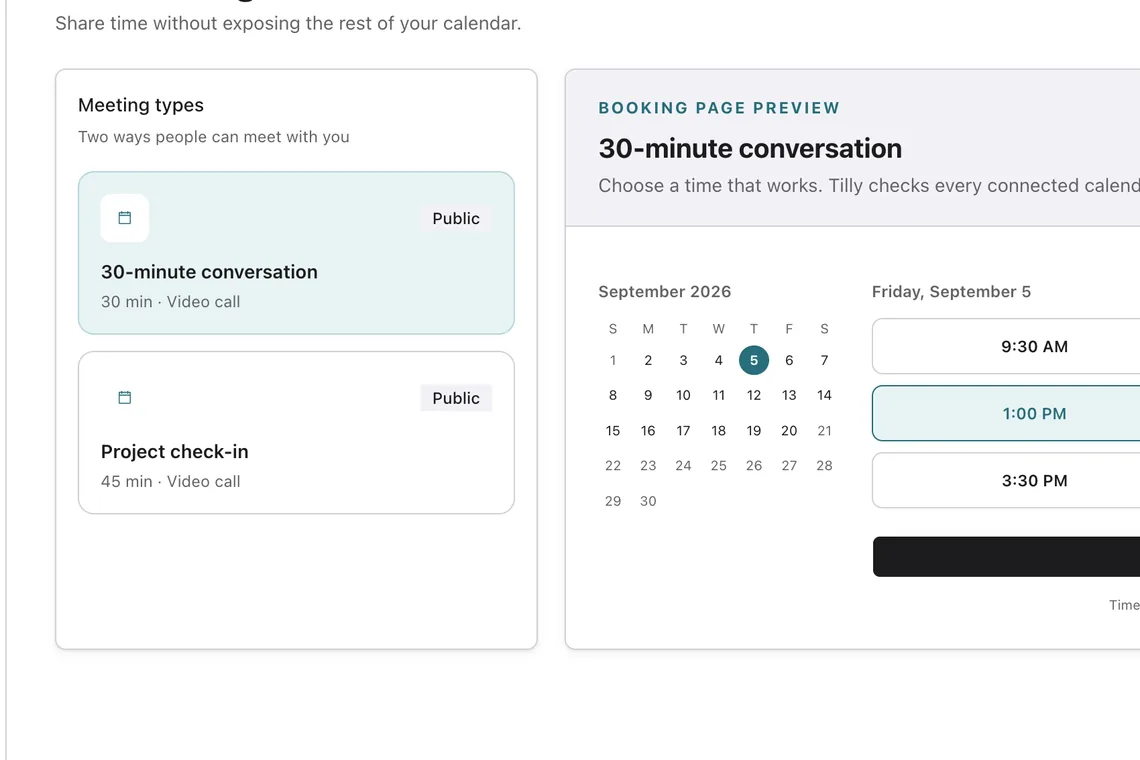
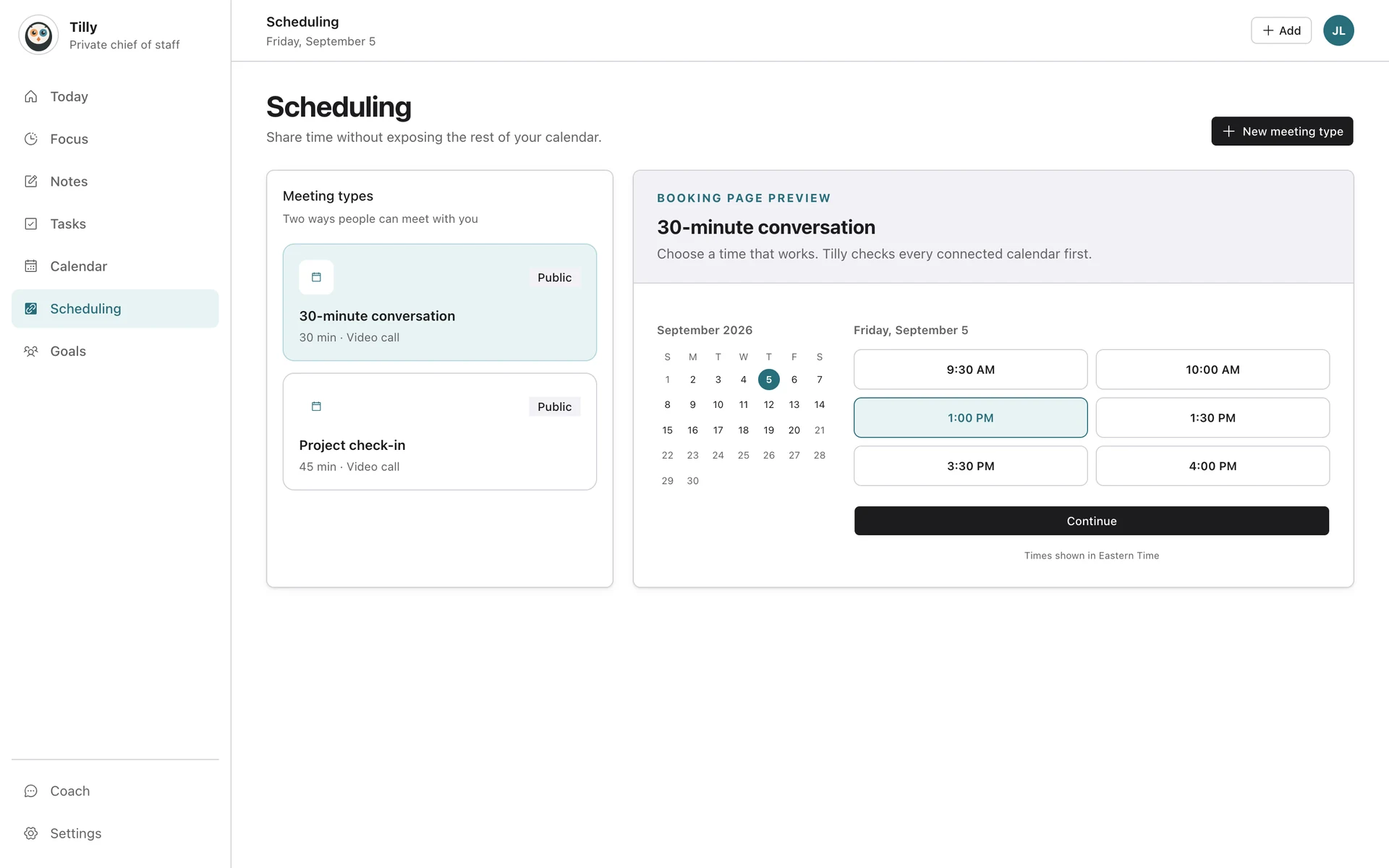
Included with Tilly Pro, with the details a scheduler needs.
Booking links come with Tilly Pro. Legacy Free accounts keep the booking links they already had.
A branded page
Your logo, accent color, background, and font on a page at your own address.
Meeting types
Several kinds of meeting, each with its own duration and location: video, phone, an address, or custom.
Rules that protect your day
Minimum notice, a booking horizon, buffers before and after, and approval when you want it.
Custom questions
Ask what you need to know before the call.
Guest self-service
Guests get a confirmation with an add-to-calendar file, and can reschedule or cancel from their own link.
Held slots
A slot is held while a guest books, so two people cannot take the same time.
Questions about Tilly booking links.
Is Tilly a Calendly alternative?
Tilly includes a lightweight booking-link workflow for personal scheduling as part of Tilly Pro. It is best for people who want booking beside their calendars and tasks, not for teams that require advanced routing or sales automation.
Do booking links reveal my private events?
No. Busy time can remove an opening without publishing the event title, attendees, notes, or the reason you are unavailable. The source calendar continues to own that private information.
Can Tilly check more than one calendar?
Yes. Tilly can connect Google Calendar, Outlook and Microsoft 365, iCloud, CalDAV, and subscribed ICS feeds. You choose which calendars should affect the plan and availability.
Where does a booked event go?
The event is saved to the destination calendar selected for the booking workflow. Verify the first booking in both Tilly and the provider so ownership and availability behave as expected.
Who should use a dedicated scheduling platform instead?
Teams needing round-robin routing, qualification forms, payments, CRM workflows, or centralized administration should compare dedicated schedulers. Tilly focuses on an individual schedule and daily plan.