Every calendar in one place, without copying a thing.
Tilly is a calendar sync app for people whose time is split across accounts. It reads Google Calendar, Outlook, and iCloud into one week, shows where work and personal plans collide, and gives you booking links that know about both. Included with Tilly Pro on iPhone, Mac, and the web.
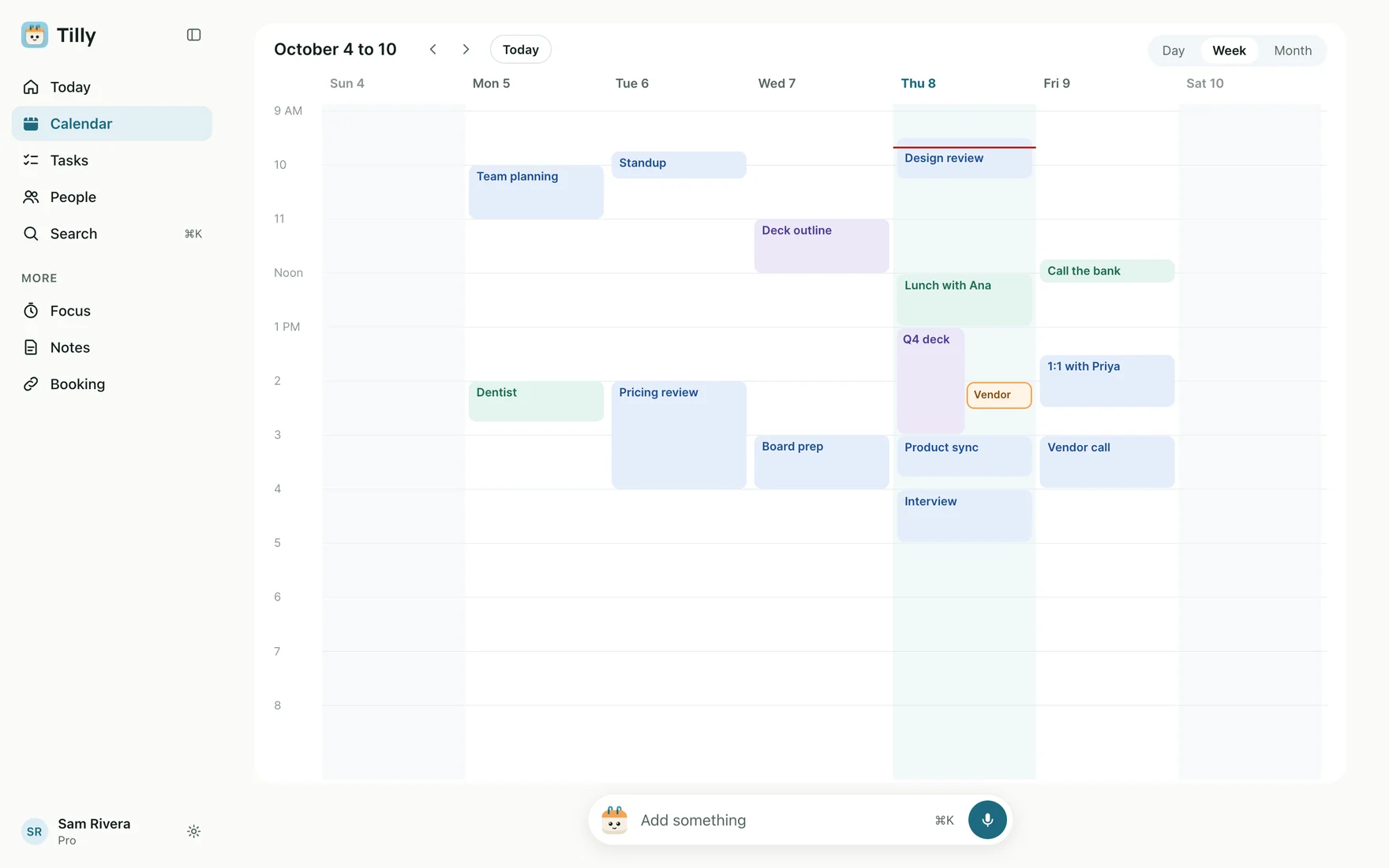
One week, every account.
Connect each account that can claim your time. Tilly lays the calendars out in the same week, each in its own color, and remembers which account every event belongs to. Hide a calendar and it leaves the view, with nothing changed at the provider.
Read how to see Google, Outlook, and iCloud together
See the double-booking before you say yes.
Most double-booking happens because one account received the invitation and another account holds the conflict. Tilly checks overlaps across every visible calendar, so a dentist appointment in iCloud shows up against a review meeting in Outlook. You decide what moves; Tilly Pro recommends which one to move and which to keep.
Read how to prevent double-booking across calendars
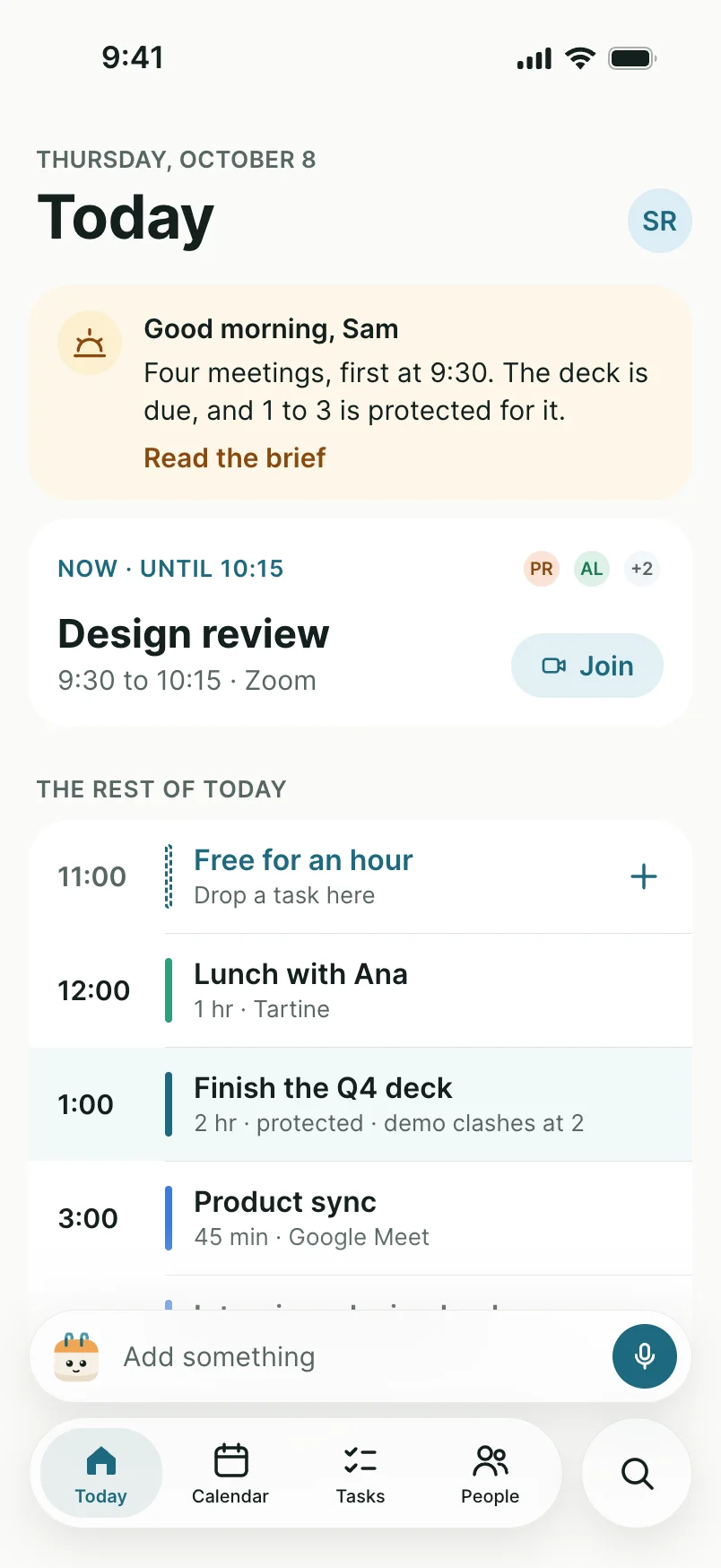
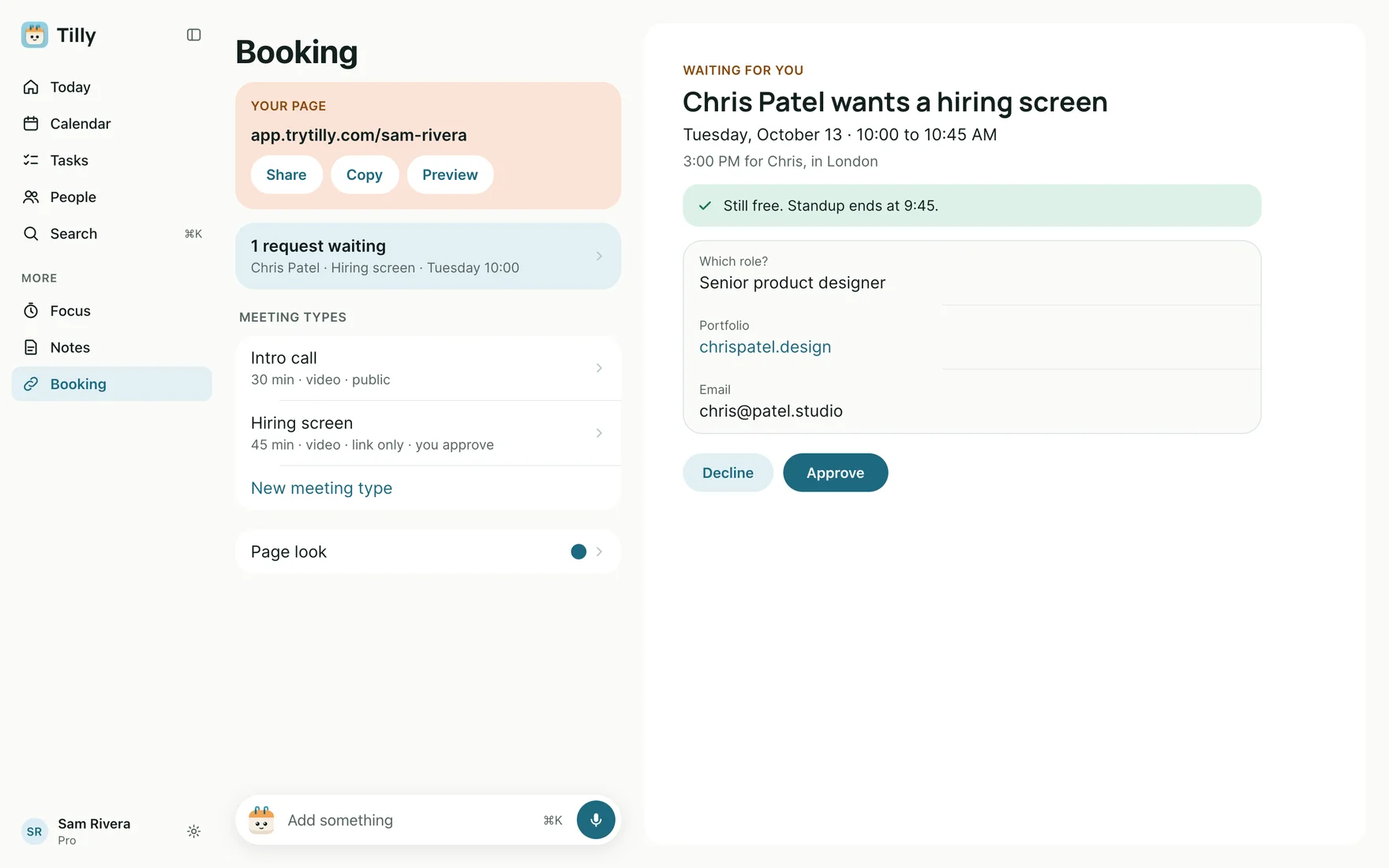
Booking links that read both calendars.
A scheduling link connected to one work calendar will happily offer an evening your family calendar already owns. Tilly booking links take busy time from every calendar you keep visible, and guests see open times, never the events behind them. Booking links come with Tilly Pro.
See booking links
Sync, or one view: know which you need.
“Calendar sync” means two different things. Some tools copy events or busy blocks from one account into another so each calendar looks full on its own. Tilly does not copy events or busy blocks between your accounts; it reads them into one view. Here is how that plays out.
Nothing duplicated
Each event stays in the account that owns it, so there are no copies to go stale or clean up when you leave a job.
Private details stay put
A personal appointment is visible to you in Tilly, not written as a block into your employer’s calendar.
Changes arrive on their own
Google Calendar and Outlook notify Tilly when a calendar changes, and every connected account is re-checked every hour.
Every provider in one list
Google Calendar, Outlook and Microsoft 365, iCloud, CalDAV servers, and subscribed ICS feeds.
When copying is right
If a work tool you cannot replace only reads your work calendar, a busy block there is still the fix. Tilly will not add it for you.
Choose what counts
Hidden calendars leave the view, the conflict check, and your booking availability together.
What Tilly Pro includes.
Eligible subscribers can start a 7-day free trial of Tilly Pro at checkout. Accounts from before the Tilly Pro launch keep what they already had.
Tilly Pro
Unlimited calendar accounts, with every calendar inside them
Day, week, and month views across all of them
Conflicts shown across every visible calendar
Booking links that read every visible calendar
Tasks, notes, and the focus timer beside the schedule
Conflict recommendations: what to move and what to keep
Automatic protected blocks on open time
Sync health monitoring that flags an account needing to reconnect
The daily brief by email each morning
See pricing
Questions about calendar sync apps.
What is the best calendar sync app for managing all my calendars in one place?
Look for one that reads every account that can claim your time and shows the result as a single schedule. Tilly connects Google Calendar, Outlook and Microsoft 365, iCloud, CalDAV servers, and subscribed ICS feeds, and every event stays in the calendar it came from, so there is nothing to duplicate or clean up later.
What is the best way to avoid double-booking meetings across multiple calendars?
Check one view that holds every calendar before you accept, and make sure anything that hands out your time reads that same view. Tilly shows overlapping events across all of your visible calendars, and Tilly booking links take busy time from every calendar you keep visible rather than from one chosen account.
Which calendar sync app prevents double-booking across personal and work calendars?
One that sees both sides at once. A scheduler connected only to a work calendar will offer an evening your family calendar already holds. Tilly puts personal and work calendars in the same week, shows where they collide, and its booking page shows guests open times, never the events behind them.
Does Tilly copy events between my calendars?
No. Tilly does not copy events or busy blocks between your accounts; it reads each calendar into one combined view instead. If a separate scheduling tool can only see one of your calendars, add a busy block to that calendar yourself, or share a Tilly booking link, which already counts every visible calendar.
How much does calendar sync cost in Tilly?
Tilly Pro includes unlimited calendar accounts, conflicts, and booking links for $4.99 per month or $39.99 per year, with a 7-day free trial. Pro also recommends which meeting to move when two collide.
Connecting the first calendar takes about a minute. Add the second account and the week fills in.

Part of Tilly Pro
One plan: $39.99 a year or $4.99 a month. Seven days free if eligible.
See pricing
Put every calendar in one week.
Try Tilly Pro free for 7 days, on iPhone, Mac, and the web.
7 days free. Cancel anytime.