What does a calendar app actually need to know?
A calendar app needs enough information to deliver the feature the user requested. A combined view needs event times and calendar identity. A conflict check needs overlapping start and end times. A feature should not collect unrelated detail simply because the provider makes it available.
That principle is easy to state and harder to maintain. Calendar records can contain titles, guests, locations, notes, links, and personal routines. Product teams need to decide which fields change the result, then keep the rest out of the path when possible.

Ask for permission at the moment it makes sense
A permission screen works better when the user knows what they were trying to do. "Connect Google Calendar to show these events in Today" gives the request a reason. A wall of permissions during first launch asks for trust before the product has shown its job.
Provider consent screens still control the exact scopes and language. The product should explain the purpose in plain words before sending someone into that flow.
Keep account boundaries visible
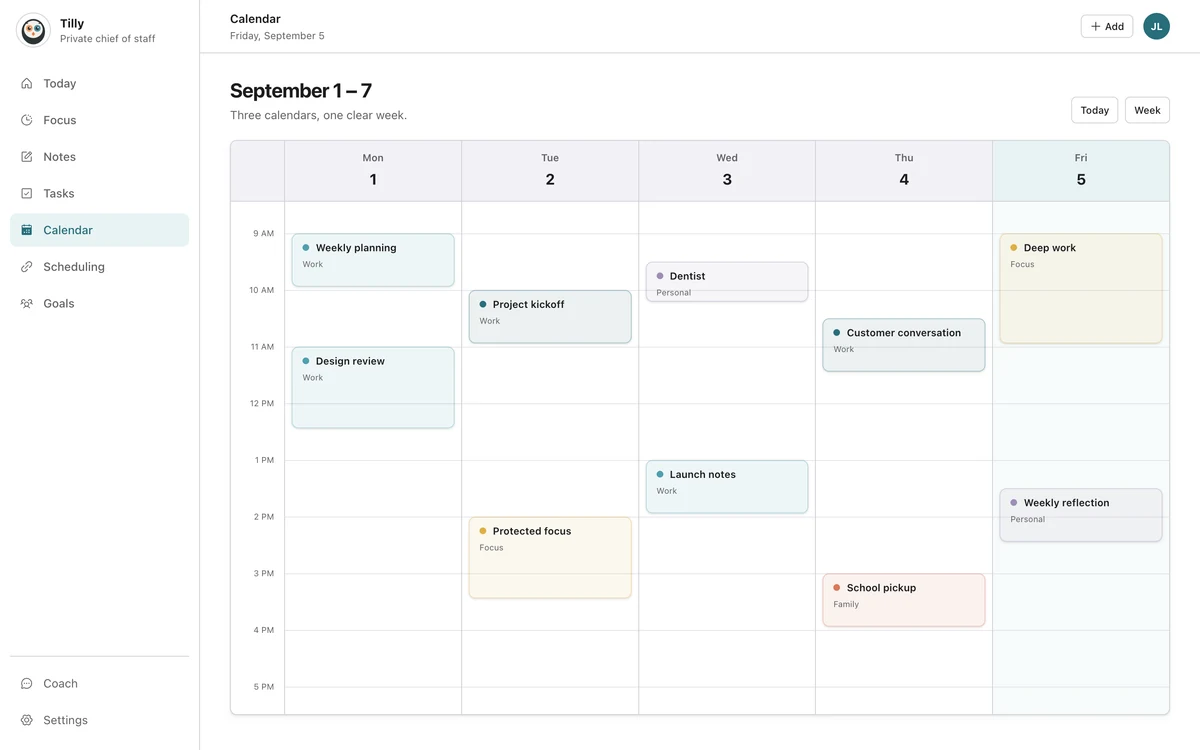
A combined view should not make every event look as if it belongs to one new master calendar. People need to know whether a record came from work Outlook, personal Google Calendar, a family iCloud calendar, or a shared feed.
Visible ownership helps prevent edits in the wrong account and makes disconnection understandable. Removing a connection from an app should not be confused with deleting the provider's calendar.
Share availability without sharing the appointment
Work often needs to know that a person is unavailable. It rarely needs the title of a medical appointment, family event, or private task. A busy block can communicate the scheduling fact while keeping the original details in the personal account.
This still depends on provider settings and workplace policy. Check what a sharing rule publishes before relying on it. A public calendar feed is not a safe workaround for an organization that blocks third-party access.
Make actions explicit
Reading a calendar and changing it are different levels of responsibility. Creating, moving, or deleting an event should follow a clear user action and show the destination calendar before the change is saved.
Assistant features need the same boundary. A suggested focus block is advice. Writing that block into a work calendar is an action. The confirmation should name the time, title, and account so the user can catch a mistake before it becomes shared data.
Give people practical controls
- Show every connected account and its status.
- Let people hide an individual calendar without disconnecting the account.
- Explain what disconnecting changes and what it leaves at the provider.
- Put account deletion and privacy contact information in predictable places.
- Keep optional analytics and diagnostics behind clear consent choices.
Controls are useful only when people can find and understand them. A technically complete settings page can still fail if its labels describe internal systems instead of user outcomes.
Questions people ask
Does combining calendars copy all event details?
A combined view does not need to copy events into one calendar. It can display connected records together while each provider remains the owner. The exact data handling depends on the app, so check its privacy policy and connection settings.
Can my employer see my personal calendar?
Not merely because you view work and personal calendars in one app. Visibility changes when you share, publish, copy, or create a busy block in a work system. Review the destination and details before any cross-account action.
What should I do before disconnecting an account?
Check whether the app created any records in that provider and whether you still need them. Disconnecting usually removes access from the app; it does not delete the provider's original events.