How do you stop double-booking across calendars?
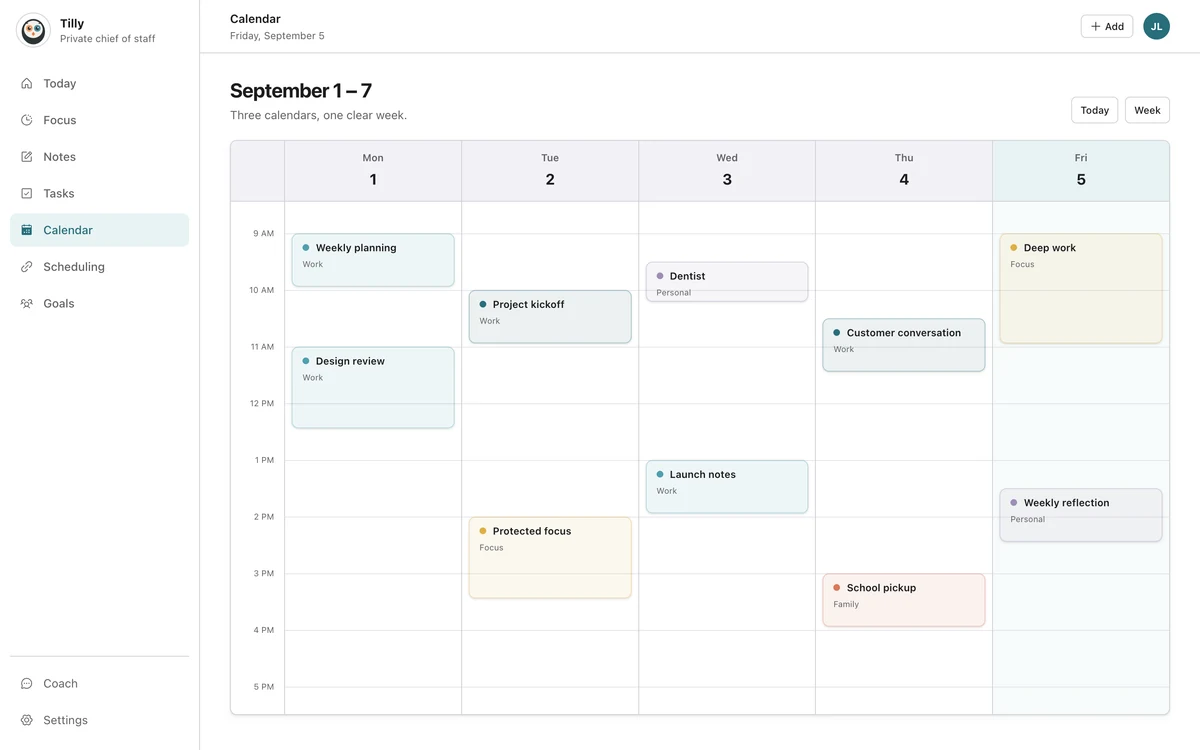
Put every calendar that affects your availability into one view, check that view before accepting a commitment, and share busy time with scheduling systems that cannot see all of your accounts. Add travel and preparation around events so a technically open slot does not become an impossible transition.
Double-booking is usually a visibility problem before it is a discipline problem. One account receives the invitation while another account holds the conflict. The person making the decision never sees both at the same time.

Make the calendar set complete
Connect work, personal, family, school, volunteer, and booking calendars. Include shared calendars and secondary accounts from the same provider. If a commitment can make you unavailable, it belongs in the check.
Hide feeds that do not change availability. Completeness does not mean visual clutter. It means every real claim on the time is represented somewhere in the combined view.
Use one checkpoint before every yes
The most reliable habit is small: before accepting, creating, or moving an event, look at the complete day. Do not trust the free/busy indicator in the invitation account unless it can see the other calendars too.
On a busy day, check the time before and after the proposed event. A meeting can fit on the grid and still collide with travel, school pickup, preparation, or the recovery needed after demanding work.
Make booking pages see honest availability
A booking tool can only block the calendars it reads. If it checks work Outlook but ignores personal Google Calendar, it may offer a time you cannot take.
Connect every supported busy calendar to the booking tool. When that is not possible, place a neutral busy block on the calendar it does read. Keep private titles and notes in their original account. A booking link that uses the same combined schedule removes part of this mismatch for individual scheduling.
Copying busy blocks between accounts and reading every account into one view solve the same problem in different ways. Copies keep each calendar looking full on its own, which helps a tool you cannot change; one view avoids duplicates entirely. How Tilly handles calendar sync explains which approach it takes and when the other one is still the right fix.
Add buffers where the schedule needs them
Travel time, setup, and overruns are predictable sources of collision. Add a buffer before an appointment across town. Leave setup before a presentation. Avoid back-to-back commitments when the first regularly runs late.
Buffers should reflect reality, not a universal rule. Ten minutes may be enough between video calls. An airport trip needs much more. The point is to represent the transition the event grid leaves out and decide what the remaining open time can honestly carry.
Decide which event owns the repair
When a conflict appears, identify the least flexible commitment first. An appointment with another organization may be harder to move than a private focus block. A meeting with several guests may have fewer options than a solo task.
Contact the affected people early and update the owning calendar. Avoid creating a second corrected event while leaving the original active. Duplicate records create another chance to book the wrong time.
Run a monthly calendar check
- Remove expired booking links and old shared feeds.
- Confirm that connected accounts still authorize access.
- Test one event update from each important provider.
- Review recurring events that no longer happen.
- Check which calendar each scheduling tool reads.
This maintenance takes less time than repairing one missed appointment. Fold it into a short weekly calendar reset, especially after a job, school term, family schedule, or provider account changes.
Questions people ask
Can conflict detection prevent every double-booking?
No. It can detect commitments visible to the system. Private calendars that are not connected, stale feeds, and informal promises can still be missing. The complete-view habit closes part of that gap.
Should I duplicate events across work and personal calendars?
Avoid full duplication unless another system requires it. A neutral busy block can share availability with less private detail and fewer synchronization problems.
What should I do when two meetings overlap?
Identify which event is fixed, contact the flexible meeting owner, and update the original record. Then check travel and downstream commitments before accepting the new time.